Reply '9' to Confirm
You can now ask customers to reply to appointment reminder messages to confirm their availability, all from within Omega EDI. Omega shows each confirmation on your schedule, in the work order, and in the job autobiography, improving efficiency and customer satisfaction.
Now the customer confirms with one text
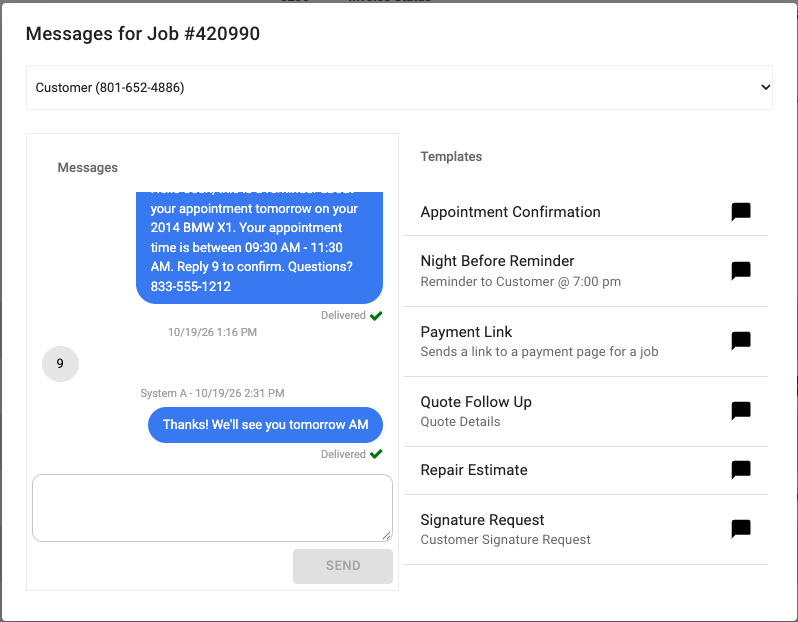
Omega EDI already sends your customers automated appointment reminders. Now they can answer them. Omega automatically marks appointments as confirmed when the customer replies.
Your customer doesn't click a link, log in, or download an app. They just reply to the message with a configured token and the appointment is automatically confirmed. A customer who has confirmed is committed, and committed customers show up. That means fewer no-shows and fewer wasted trips for your techs, so you can run your business more efficiently.
See which jobs are confirmed
When a customer confirms, Omega EDI marks the appointment confirmed with the time they replied. A green Confirmed check then appears everywhere you see that appointment:
- The work order: on the appointment
- The schedule: next to the appointment window
- The calendar: on the appointment block
- The route map: in the appointment popup
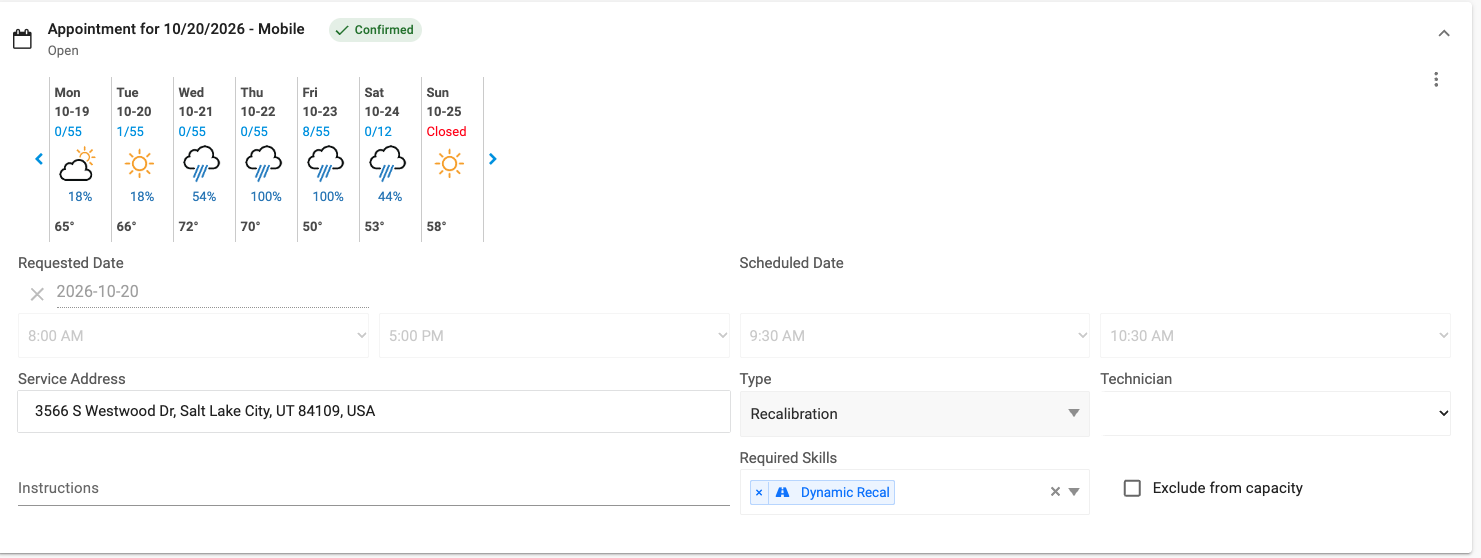

Hover over the check to see exactly when the customer confirmed. The job autobiography records it as "Appointment confirmed by customer via SMS," so anyone who opens the job later can see what happened.
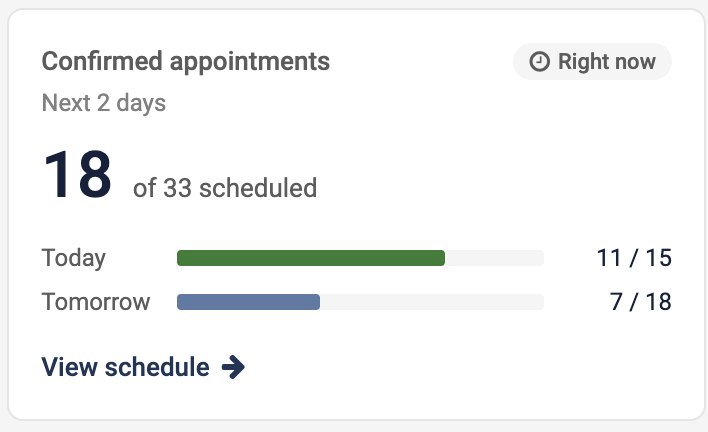
A dispatcher can look at the board and see right away which of today's and tomorrow's jobs are confirmed and which still need attention. The Confirmed appointments tile on your dashboard shows how many of the next two days' appointments are confirmed, so you know how much of the schedule is locked in and how many calls are left to make.
Routes built around confirmed jobs
For Enterprise users, the Route Optimizer gives priority to confirmed appointments when it builds a day's route.
Turning it on
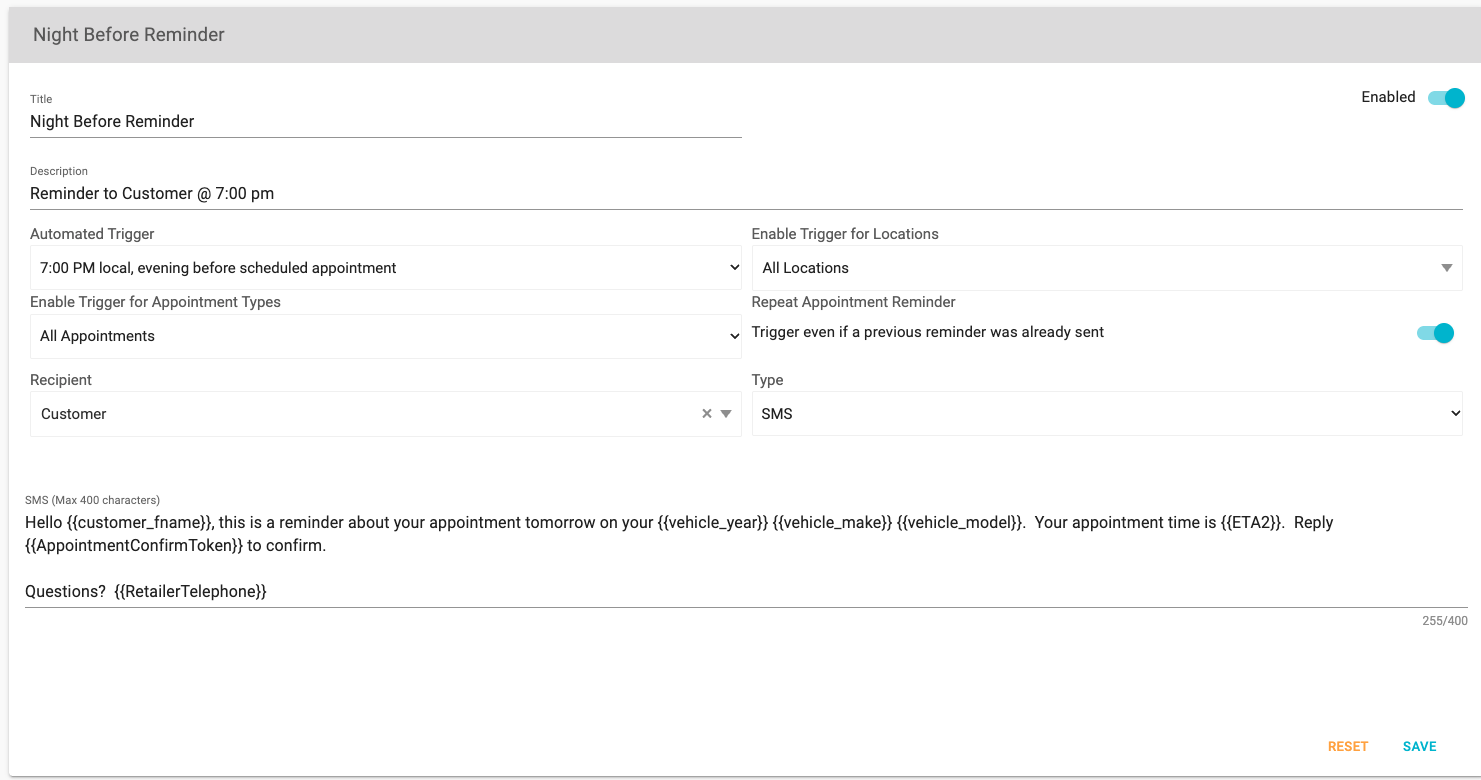
Just add the new {{AppointmentConfirmToken}} variable to your SMS reminder template and ask customers to confirm. Something like:
Reply {{AppointmentConfirmToken}} to confirm your appointment.
Omega EDI fills in the reply code when the text goes out, so your customer sees "Reply 9 to confirm your appointment." From then on, confirmations come in on their own.
Available now
SMS appointment confirmations are live today for every Omega EDI shop that sends SMS reminders.
Not on Omega EDI yet? Schedule a demo to see how automated reminders, confirmations, and live technician tracking keep your schedule full and your customers informed, or see our pricing.

Related Posts